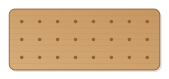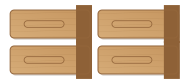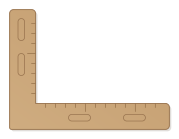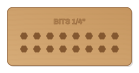
Block with hexagonal pockets for screwdriver bits (1/4″, 6.35 mm). The corners are relieved so the bits sit fully; number of bits and spacing adjustable.
- Size
- 136 × 70 mm, 20 mm thick
- Material
- Hardwood (beech, oak)
- Difficulty
- Beginner
- Milling time
- approx. 14 min
- Bits
- End mill Ø 3.175 mm, V-bit 60°, End mill Ø 6 mm
- Customise
- Size, text and details adjustable with sliders
Free with an account · carve with Chrome or Edge · no installation
Build instructions
Apart from the workpiece you need nothing else.
Carving and finishing
- Clamp the workpiece flat on the spoilboard or secure it with double-sided tape, and set the origin as shown in the carving assistant.
- Carve the hex pockets 12 mm deep with the 3.175 mm end mill; the round corners are reliefs for the edges of the bits. Then engrave the lettering and cut out the block.
- Free the parts at the holding tabs with a utility knife or fine saw and sand the tab remains flush.
- Test-fit a bit: if it is too tight, increase the clearance and carve the pockets again (the origin stays).
Assembly and final touches
- Fix the block to the workbench or wall with double-sided tape or two screws from below.
- Finally oil, wax or varnish; for toys use oils or varnishes that are saliva-resistant according to EN 71-3.
How to carve this template
- OpenOpen the template in the app and adjust size and text if you like.
- CheckLook at it in 3D, check run time and warnings.
- Set upThe carve wizard guides you through material, clamping, bit and zero point.
- CarvePress start; the app drives your Grbl router directly over USB.