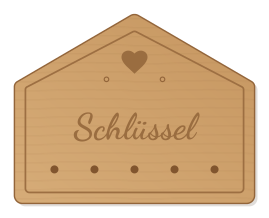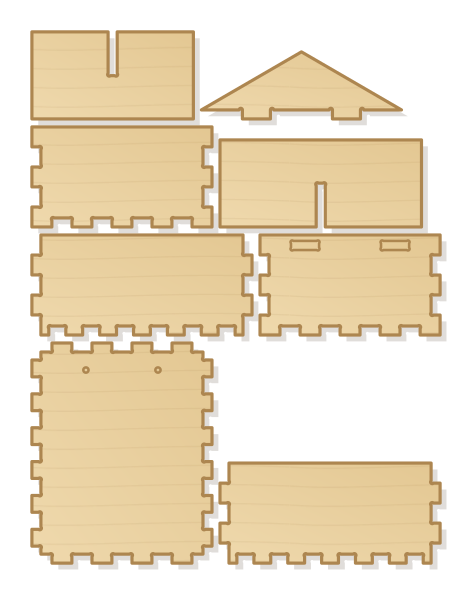
Finger-jointed box with four compartments made of crossed dividers and a slotted gable. Filled with bamboo, reed and drilled hardwood it becomes a nursery for wild bees.
- Size
- 424 × 547 mm, 9 mm thick
- Material
- Plywood
- Difficulty
- Intermediate
- Milling time
- approx. 52 min
- Bits
- End mill Ø 3.175 mm
- Customise
- Size, text and details adjustable with sliders
Free with an account · carve with Chrome or Edge · no installation
Build instructions
Materials and accessories
| Qty | Part |
|---|---|
| 1 | Wood glue (water-resistant D3) |
| 2 | Wood screws 4 × 35 mm with wall plugs |
Also: sandpaper (grit 120 and 240), a utility knife or fine saw and, for joints, a rubber mallet.
Carving and finishing
- Clamp the workpiece flat on the spoilboard or secure it with double-sided tape, and set the origin as shown in the carving assistant.
- Mill the mortises and hanging holes, then cut out all parts.
- Free the parts at the holding tabs with a utility knife or fine saw and sand the tab remains flush.
- Before gluing, dry-fit everything. If a joint is too tight, increase the clearance by 0.05 mm and carve the part again; if it wobbles, reduce it.
Assembly and final touches
- Fit the walls around the back panel and glue them. Slot the two dividers together crosswise and slide them into the box as one piece; glue the gable into the slots of the top wall.
- Fill the compartments: bamboo and reed tubes (3 to 9 mm inside, closed at the back, 2 cm shorter than the box depth), hardwood blocks drilled into the side grain, clay or pine cones. Deburr the edges cleanly so the bees do not hurt their wings.
- Hang it in a sunny spot protected from rain, openings facing south or south-east, at least one metre above the ground.
How to carve this template
- OpenOpen the template in the app and adjust size and text if you like.
- CheckLook at it in 3D, check run time and warnings.
- Set upThe carve wizard guides you through material, clamping, bit and zero point.
- CarvePress start; the app drives your Grbl router directly over USB.