myWerkzeug.de › CNC.myWerkzeug.de › Templates › Workshop
CNC template · Workshop
Cable comb for desk and workbench

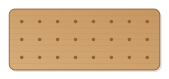
Screw-on strip with slots that widen towards the end: cables are pushed through the narrow neck and stay in place. Number and cable size adjustable.
- Size
- 164 × 44 mm, 6 mm thick
- Material
- Plywood
- Difficulty
- Beginner
- Milling time
- approx. 8 min
- Bits
- End mill Ø 2 mm
- Customise
- Size, text and details adjustable with sliders
Free with an account · carve with Chrome or Edge · no installation
Build instructions
Materials and accessories
| Qty | Part |
|---|---|
| 2 | Wood screws 4 × 35 mm with wall plugs |
Also: sandpaper (grit 120 and 240), a utility knife or fine saw and, for joints, a rubber mallet.
Carving and finishing
- Clamp the workpiece flat on the spoilboard or secure it with double-sided tape, and set the origin as shown in the carving assistant.
- Carve the screw holes and the outline with the 2 mm end mill; the small cutter fits through the narrow necks of the slots.
- Free the parts at the holding tabs with a utility knife or fine saw and sand the tab remains flush.
- Lightly break the edges with sandpaper (grit 120, then 240) and remove burrs.
Assembly and final touches
- Screw the comb under the tabletop or to the wall with two countersunk screws, slots facing forward.
- Press cables in from the front through the neck. If it is too narrow, open it up a little with a round file.
How to carve this template
- OpenOpen the template in the app and adjust size and text if you like.
- CheckLook at it in 3D, check run time and warnings.
- Set upThe carve wizard guides you through material, clamping, bit and zero point.
- CarvePress start; the app drives your Grbl router directly over USB.