myWerkzeug.de › CNC.myWerkzeug.de › Templates › Learning
CNC template · Learning
Abacus with wooden discs

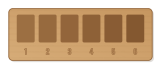
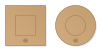
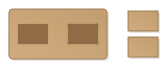
Abacus with two to ten rows of ten discs on dowels, five of each row with an engraved mark for colouring. Two rows make a twenty frame, ten rows a hundred frame.
- Size
- 334 × 168 mm, 6 mm thick
- Material
- Plywood
- Difficulty
- Intermediate
- Milling time
- approx. 24 min
- Bits
- V-bit 60°, End mill Ø 3.175 mm
- Customise
- Size, text and details adjustable with sliders
Free with an account · carve with Chrome or Edge · no installation
Build instructions
Materials and accessories
| Qty | Part |
|---|---|
| 1 | Beech dowel rod 8 mm |
| 1 | Wood glue (water-resistant D3) |
| 1 | Wood paints or acrylic paints |
Also: sandpaper (grit 120 and 240), a utility knife or fine saw and, for joints, a rubber mallet.
Carving and finishing
- Clamp the workpiece flat on the spoilboard or secure it with double-sided tape, and set the origin as shown in the carving assistant.
- Engrave the marks, mill the dowel, disc and mortise holes, then cut out base, side pieces and discs.
- Free the parts at the holding tabs with a utility knife or fine saw and sand the tab remains flush.
- Before gluing, dry-fit everything. If a joint is too tight, increase the clearance by 0.05 mm and carve the part again; if it wobbles, reduce it.
Assembly and final touches
- For each row cut an 8 mm dowel to the inside width plus twice the material thickness. Paint the marked discs red, the others white or blue.
- Glue one side piece into the base, insert the dowels, thread five marked and then five other discs onto each dowel and put on the second side piece.
How to carve this template
- OpenOpen the template in the app and adjust size and text if you like.
- CheckLook at it in 3D, check run time and warnings.
- Set upThe carve wizard guides you through material, clamping, bit and zero point.
- CarvePress start; the app drives your Grbl router directly over USB.