myWerkzeug.de › CNC.myWerkzeug.de › Templates › Workshop
CNC template · Workshop
Profiled sanding blocks

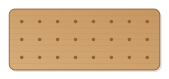
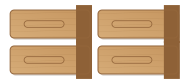
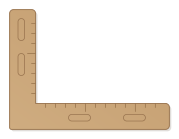
Four hardwood sanding blocks: flat, concave and convex with adjustable radius, and a 90° point for fillets and chamfers. The sandpaper is wrapped around the profile and held at the sides.
- Size
- 266 × 174 mm, 20 mm thick
- Material
- Hardwood (beech, oak)
- Difficulty
- Beginner
- Milling time
- approx. 16 min
- Bits
- V-bit 60°, End mill Ø 6 mm
- Customise
- Size, text and details adjustable with sliders
Free with an account · carve with Chrome or Edge · no installation
Build instructions
Apart from the workpiece you need nothing else.
Carving and finishing
- Clamp the workpiece flat on the spoilboard or secure it with double-sided tape, and set the origin as shown in the carving assistant.
- Engrave radii and labels, mill the grip holes, then cut out the blocks with the 6 mm end mill (32 mm cutting length).
- Free the parts at the holding tabs with a utility knife or fine saw and sand the tab remains flush.
- Smooth the profile edges with fine sandpaper so no edges press through the paper.
Assembly and final touches
- Wrap a strip of sandpaper around the profile and hold it at the sides with your fingers, or fix it there with double-sided tape.
How to carve this template
- OpenOpen the template in the app and adjust size and text if you like.
- CheckLook at it in 3D, check run time and warnings.
- Set upThe carve wizard guides you through material, clamping, bit and zero point.
- CarvePress start; the app drives your Grbl router directly over USB.