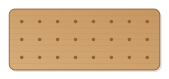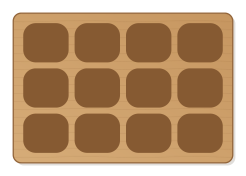
Solid board with rounded compartments for screws, nuts and small parts that can be swept empty with a finger. Grid, size and depth adjustable.
- Size
- 232 × 162 mm, 18 mm thick
- Material
- Hardwood (beech, oak)
- Difficulty
- Beginner
- Milling time
- approx. 33 min
- Bits
- End mill Ø 6 mm, End mill Ø 6 mm
- Customise
- Size, text and details adjustable with sliders
Free with an account · carve with Chrome or Edge · no installation
Build instructions
Apart from the workpiece you need nothing else.
Carving and finishing
- Clamp the workpiece flat on the spoilboard or secure it with double-sided tape, and set the origin as shown in the carving assistant.
- Clear the compartments with the 6 mm end mill, then cut out the outline.
- Free the parts at the holding tabs with a utility knife or fine saw and sand the tab remains flush.
- Lightly break the edges with sandpaper (grit 120, then 240) and remove burrs.
Assembly and final touches
- Stick four felt or rubber feet under the board so it does not slide on the workbench.
- Finally oil, wax or varnish; for toys use oils or varnishes that are saliva-resistant according to EN 71-3.
How to carve this template
- OpenOpen the template in the app and adjust size and text if you like.
- CheckLook at it in 3D, check run time and warnings.
- Set upThe carve wizard guides you through material, clamping, bit and zero point.
- CarvePress start; the app drives your Grbl router directly over USB.