myWerkzeug.de › CNC.myWerkzeug.de › Templates › myWerkzeug.de
CNC template · myWerkzeug.de
Relay switching stage from the Electronics House

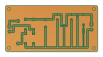
Toni and Rolf as a board: a BC547 transistor switches a 12 V relay with little base current, the flyback diode catches the voltage spike, an LED shows the state. The contacts switch extra-low voltage only.
- Size
- 72 × 52 mm, 1.6 mm thick
- Material
- Circuit board (FR4)
- Difficulty
- Intermediate
- Milling time
- approx. 16 min
- Bits
- Engraving bit 30°, PCB drill Ø 0.8 mm, PCB drill Ø 1.3 mm, Corn cob router bit Ø 2 mm
- Customise
- Fixed template, freely editable once opened
- With a laser
- milling machine only (PCB isolation, a diode laser cannot cut this material)
Free with an account · carve with Chrome or Edge · no installation
Try the circuit first in the Electronics House (German, beta) →
Build instructions
Parts
| Qty | Part | Value | In layout |
|---|---|---|---|
| 1 | Resistor 0.25 W | 4,7 kΩ Colour bands: yellow, violet, red, gold | R1 |
| 1 | Resistor 0.25 W | 1 kΩ Colour bands: brown, black, red, gold | R2 |
| 1 | Signal diode The band on the case is the cathode and sits on the side of the line in the layout. | 1N4148 | D1 |
| 1 | LED 5 mm The long lead is the anode; the flat side (cathode) points to the mark in the layout. | red | LED1 |
| 1 | NPN transistor Insert with the flat side as in the layout; do not swap the leads. | BC547 | T1 |
| 1 | Relay 12 V, 1 changeover contact Fits only one way; the coil sits next to the transistor. | SRD-12VDC | K1 |
| 2 | Screw terminal 3-pin, 5.08 mm pitch | X1, X2 |
You also need: soldering iron (about 30 W, fine tip), 0.5 to 1 mm solder with flux, side cutters and a multimeter.
Assembly
- Mill the board: isolate the copper first, then drill, and finally mill out the holes and the outline. The order is shown in the Milling panel.
- Cut through the holding tabs, deburr the edges and rub the copper bright with a scouring pad. After that, do not touch the copper side with your fingers.
- Use a magnifier and a continuity tester to look for leftover copper between neighbouring traces; cut any bridges with a craft knife.
- Insert the parts from the side without copper and solder them on the copper side. Fit low parts first: resistors and diodes, then sockets and transistors, and finally capacitors, terminals and large parts.
- Before soldering, compare the polarity with the component layout: band of the diodes, flat side of the LEDs, minus stripe of the electrolytic capacitors, notch of the ICs.
- Solder each lead for about two seconds at around 330 °C: tip on pad and lead, feed solder until it flows all round. Then clip the leads just above the joint.
- Fit the flyback diode D1 with the band towards the mark: it sits reverse-biased across the coil.
- Fit the transistor T1 with the flat side as in the layout, and the relay K1 last.
- Visual check: no solder bridges, no dull, balled-up joints. Remove flux residue with isopropyl alcohol and an old toothbrush.
Test and power up
- Before switching on for the first time, check with the meter that there is no short between plus and minus of the supply. Power up the first time on a bench supply with current limiting if possible.
- Apply 12 V DC to X1 (+ and −). Connect the control input IN to 5 to 12 V: the relay clicks and LED1 lights up.
- Only switch extra-low voltage on the contacts X2, for example a 12 V lamp; never mains voltage.
- Finally protect the copper side against oxidation with solder lacquer or plastic spray.
How to carve this template
- OpenOpen the template in the app and adjust size and text if you like.
- CheckLook at it in 3D, check run time and warnings.
- Set upThe carve wizard guides you through material, clamping, bit and zero point.
- CarvePress start; the app drives your Grbl router directly over USB.