
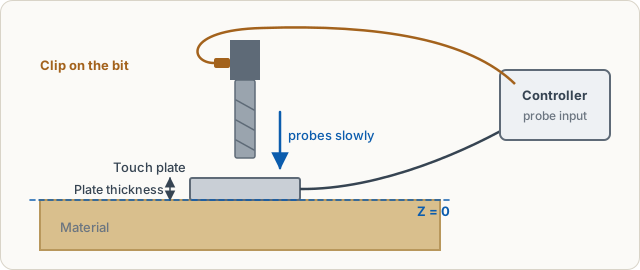
When probing, the bit moves down slowly until it touches a metal plate. The controller detects the contact, and the app sets Z = 0 exactly on the material surface, minus the plate thickness.
Sequence
Open the wizard with Probe Z in the machine control or the Zero Z step of the carve wizard.
- Prepare: move the bit over the plate, about 5 to 10 mm above it.
- Clip and contact: attach the clip to the bit's shank, place the plate under the bit. Touch the plate with the clip: the contact test shows whether the controller sees it.
- Probe: the bit searches quickly, backs off 2 mm and touches a second time slowly and precisely. Then it moves up.
- Result: Z = 0 is on the material surface.
Remove plate and clip afterwards.
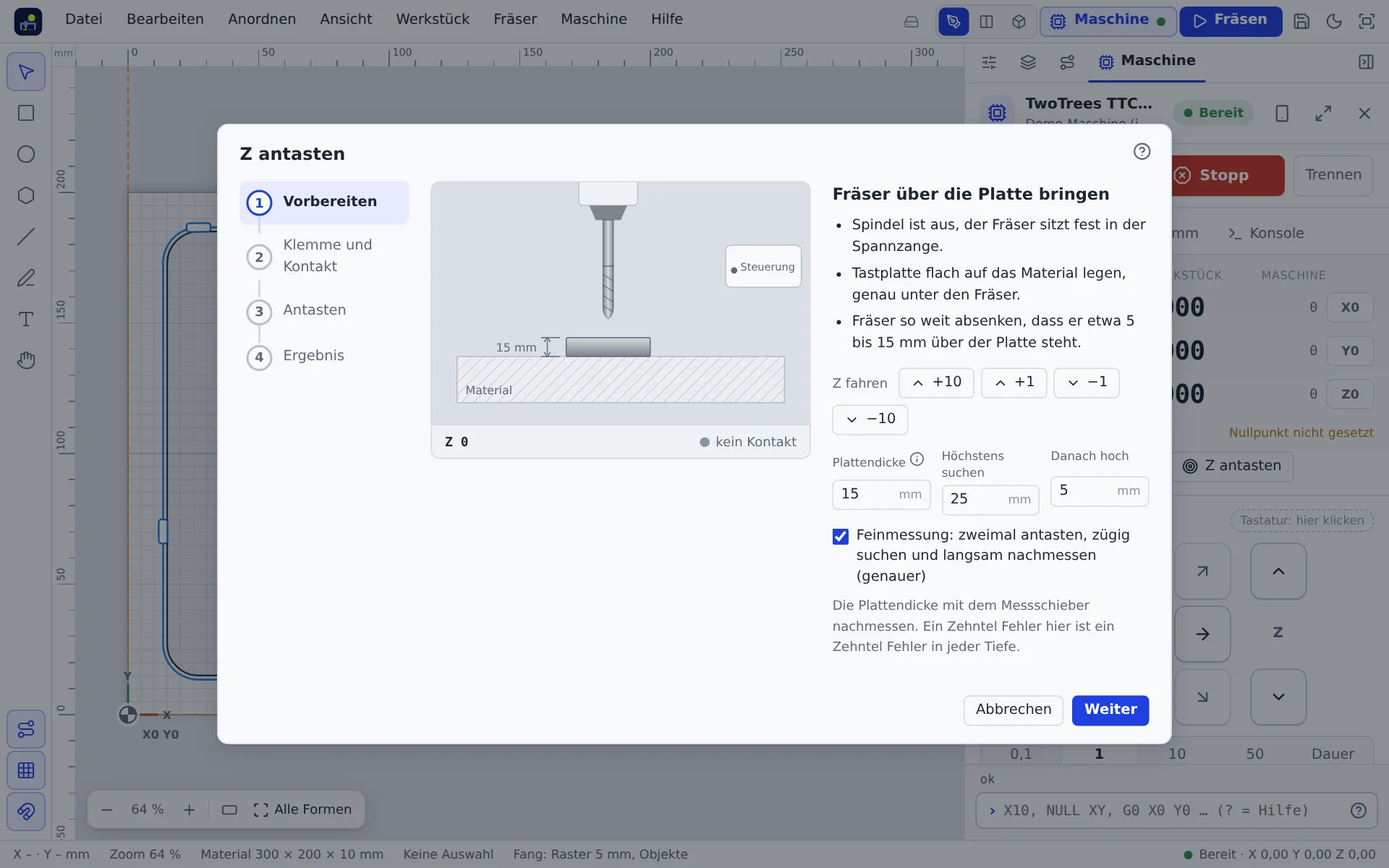
Plate thickness
Measure the plate with calipers and enter the value. It is stored in the machine profile. An error here shifts every cut depth by exactly that amount.
If it does not work
- No contact in the test: check cable and plug at the controller's probe input; clip onto bare metal, not a coated flute.
- Plate already has contact: the app does not start if the contact is closed beforehand. Separate clip and plate.
- Bit finds nothing: it was too high above the plate. Move closer or increase the search distance (probe failure).