
With your phone you stand right at the machine and still have everything in hand: jog, set zero, watch the progress and stop. The PC stays connected to the machine; the phone only sends requests, which the PC checks.
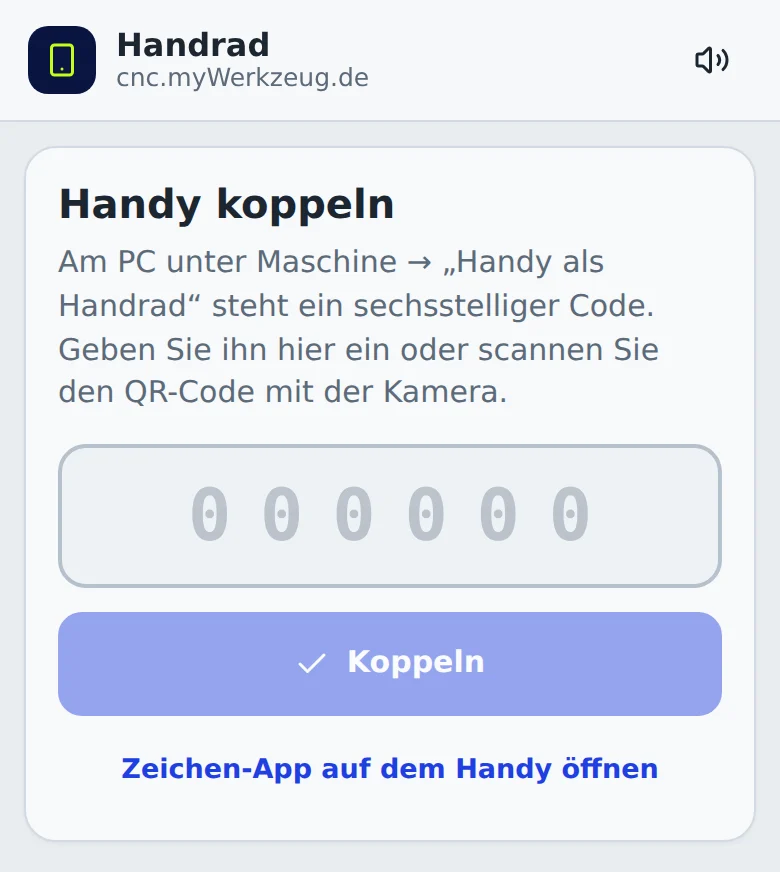
Pairing
- On the PC open Machine → Phone as pendant … and switch it on.
- Scan the QR code with the phone, or open
cnc.mywerkzeug.dethere and enter the six-digit code. - Sign in with the same account.
- Allow the new phone on the PC.
Paired phones then connect by themselves as soon as the PC is reachable. On the same Wi-Fi the connection is direct and fast. If that fails, a fallback connection runs through the server: you can then watch, pause and stop.
Using it
- Jog: jog pad with 0.1, 1 and 10 mm or continuous. Continuous jogging only while your finger is on the button.
- Handwheel: choose an axis and turn the wheel; each detent moves 0.01, 0.1 or 1 mm.
- Setup: zero X/Y and Z, probe Z, homing, go to zero, park. These buttons must be held so nothing happens by accident.
- Job: top view with the part already cut, percent, remaining time, overrides for feed and speed.
- At the bottom always Pause/Resume and STOP.
The speaker button at the top chooses the start and end sound on the phone.
Starting from the phone
A job is only started when you allow it on the PC: in the last step of the carve wizard choose Allow start from phone. The permission lasts 10 minutes and only for this program. On the phone you then slide to start.
Safety
- If you operate the PC, the PC has priority for three seconds.
- If the connection drops, any continuous jog stops immediately. A running job continues unless you chose Stop on connection loss on the PC.
- The phone is not an emergency stop. Radio and software can fail. The emergency stop switch on the machine remains mandatory.