
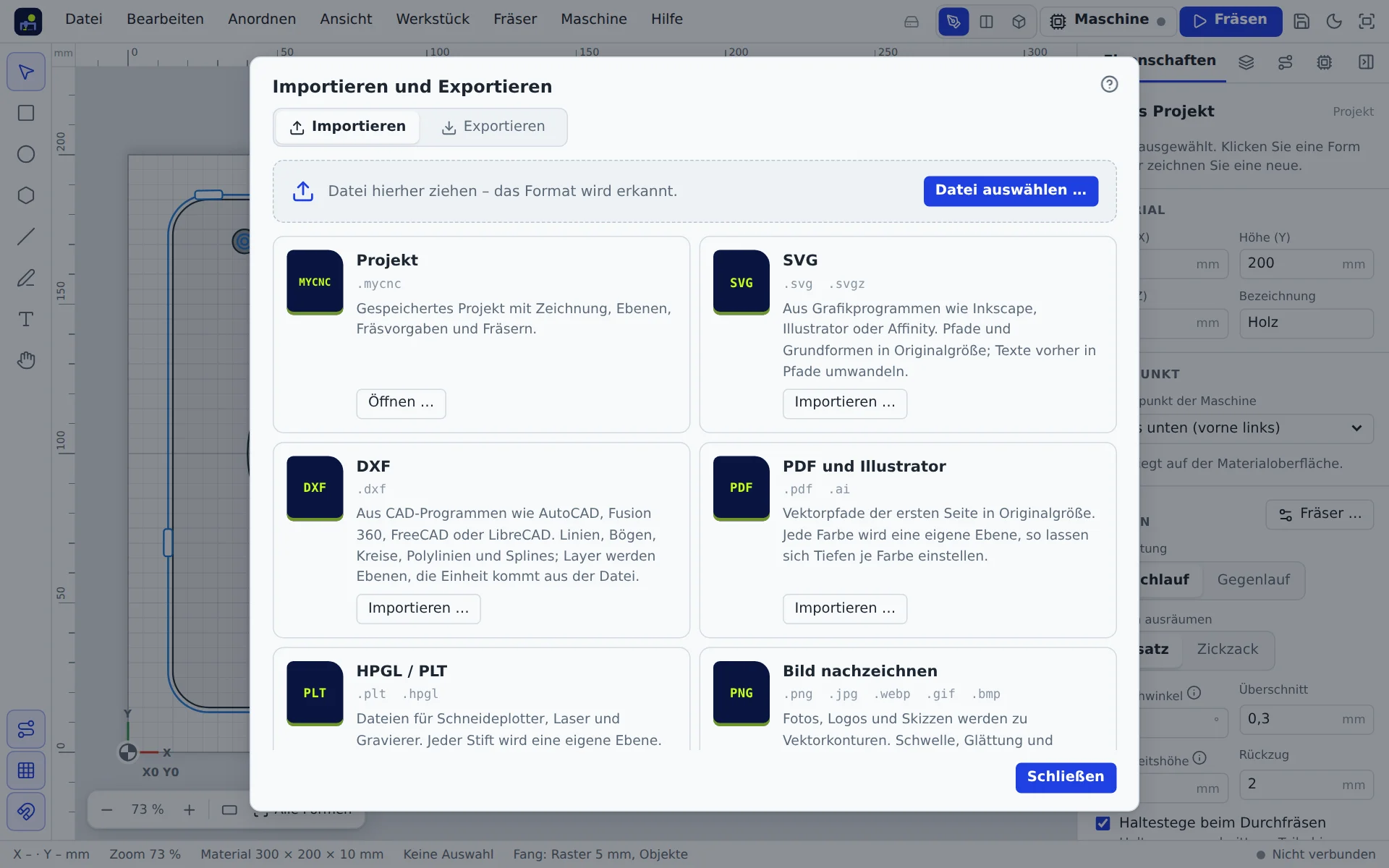
File → Import … (Ctrl+I) and File → Export … (Ctrl+E) open the “Import and export” window. Each card lists the file extensions and what is imported.
Three ways to import
- Choose a card in the window or drop the file onto the drop area.
- Drag the file from your file manager straight onto the canvas. It lands where you drop it.
- Copy in Inkscape, Illustrator or Figma and paste into the app with Ctrl+V.
Imported graphics keep their original size and form a group named after the file. One Ctrl+Z undoes the whole import.
Formats
| Format | Notes |
|---|---|
| SVG | Paths, basic shapes, groups, transforms. Values in px are converted at 96 dpi. Convert text to paths first. |
| DXF (ASCII) | Lines, arcs, circles, polylines, ellipses, splines, blocks. Circles stay true arcs. Loose pieces are joined into contours. Layers become layers. Dimensions, hatches and text are skipped. |
| PDF, AI | Drawings on the first page; each colour becomes a layer. Text and images are not imported. |
| HPGL, PLT | Each pen becomes a layer. |
| STL (binary, ASCII) | 3D model as a relief, see Relief. |
| G-code | Opens the program directly for cutting (not as a drawing). |
| Project (.mycnc) | The app's own project file. |
The app cannot read EPS and CDR. Save such files as SVG or PDF in your graphics program.
Trace an image
File → Trace image … (Ctrl+Shift+I) turns a photo, scan or logo (PNG, JPG, WebP, GIF, BMP) into cuttable areas. You can also drag an image onto the canvas or paste it.
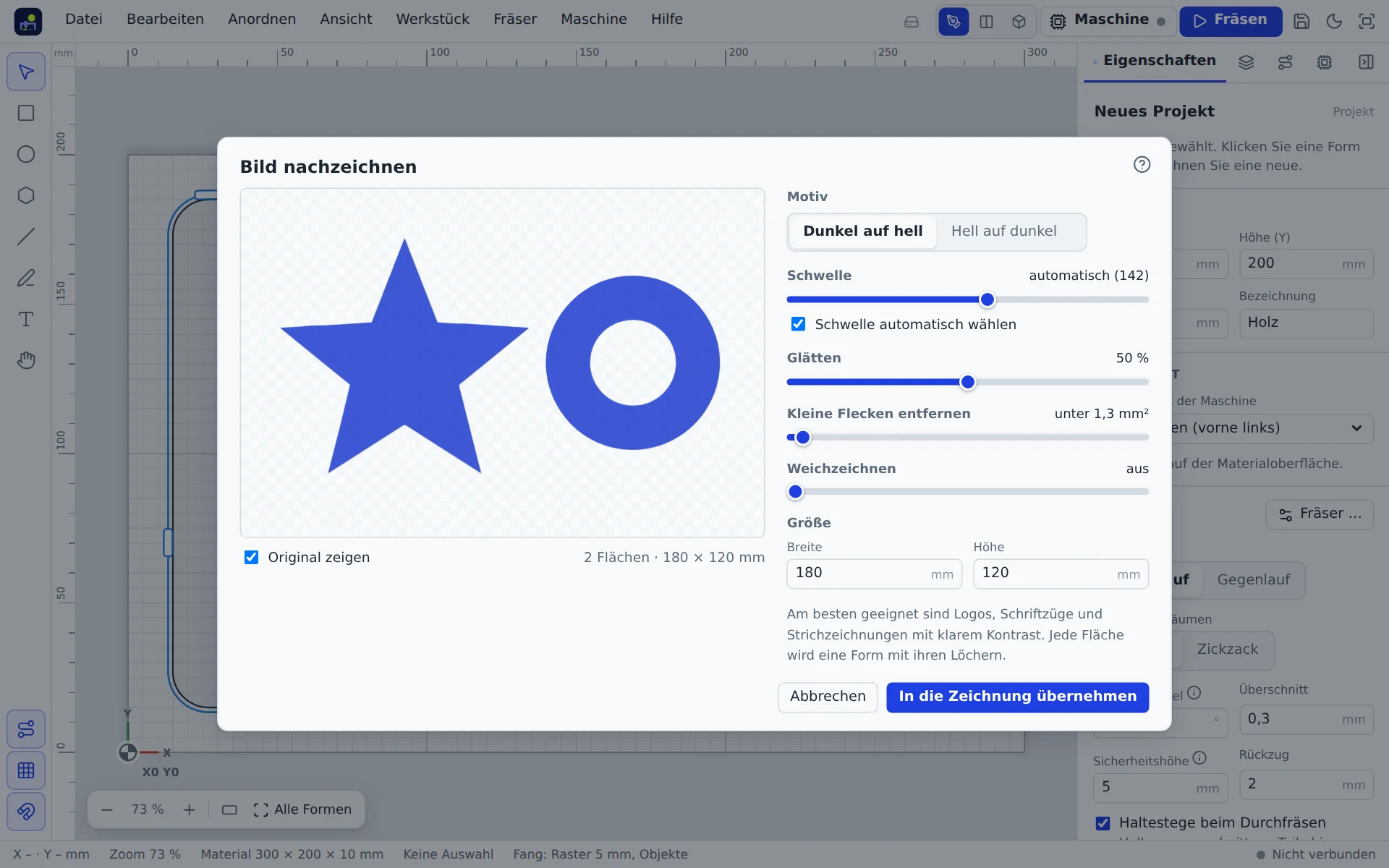
- Motif: dark on light or light on dark.
- Threshold: automatic or manual; decides what belongs to the area.
- Smoothing: rounds pixel edges; off = pixel-exact.
- Remove small specks: removes dust and noise.
- Blur: helps with photos and scans.
- Size: width and height in mm.
Add to drawing creates the areas including holes as paths. Straight edges become lines, curves become arcs.
Relief from STL or height map
A relief is an object of its own with a height map. It comes from a 3D model (STL) or a height map (greyscale: light is high, dark is deep). Choose the STL or Height map card in the “Import” window, drag an STL file onto the canvas, or choose As relief when tracing an image.
In the “Set up relief” window:
- Which side faces up? Top, front, back, left, right or bottom. Rotate freely turns the model about X, Y and Z.
- Cut off bottom: only the upper part of the model becomes the relief, so the depth goes to the details.
- Raised or recessed (inverted: light is deep).
- Size and depth: width and height in mm (the aspect ratio is kept), depth = deepest point below the material surface.
The model is moulded from above: at each point the highest surface counts. A router cannot reach undercuts from above. On the canvas the relief shows a shaded image. Move, rotate, mirror and resize it like any shape; the 3D view shows it in the workpiece right away.
In the properties you can change:
- Depth and base (raises the motif above the background like a pedestal).
- Smooth: softens the heights, edges and noise disappear.
- Fade out edge: the relief fades to the material surface towards its edge, with no step.
- Clip to shape: the relief is only carved inside a closed shape; that shape itself is then not carved.
The relief is saved with the project; the height map is compressed without loss.
Export
In the Export tab: SVG, DXF (R12, one layer per layer), PLT, G-code (one file per bit) and STL (3D model of the cut workpiece, for 3D printing or a CAD program). Visible shapes are written; Export selection only limits it to the selected shapes.
Project as ZIP
File → Save project as ZIP … packs everything into one file: the project file (.mycnc), the G-code per bit (folder “G-Code”), an overview to read (README with workpiece, bits, cutting values, times and warnings) and, if you already cut, the last test report. Good for backups, sharing and for the workshop without the app.