
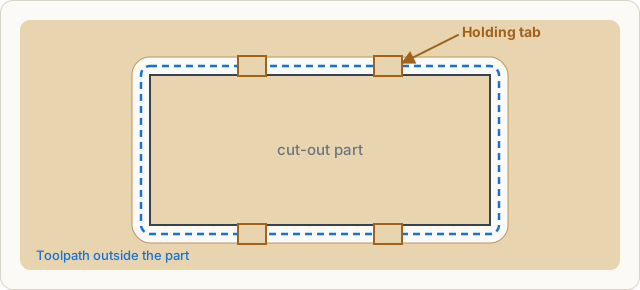
When a part is cut out completely it can come loose in the last pass, jam and be thrown by the bit. Holding tabs are short sections where the bit does not cut all the way through. The part stays connected to the rest; after cutting you separate the tabs with a knife or fine saw and sand them flush.
Automatic
For outside contours with Cut through the app spreads the tabs evenly by itself, never in corners. On the canvas they appear as bridges on the toolpath. Properties → Cutting → Holding tabs shows the status, for example “Automatically placed · 4”.
Placing them yourself
Select the shape. Then on the canvas:
- drag a tab to move it along the path,
- double-click the path to add a tab,
- double-click a tab to remove it.
The status now reads “Placed by you · 3”. Tabs move along when you move, rotate or scale the shape. Automatic spreads them again, None cuts without tabs. The part must then be held with tape or screws.
Size
In the project-wide settings (Properties with nothing selected → Cutting):
| Value | Meaning | Guideline |
|---|---|---|
| Length | length of a tab along the path | 4 to 6 mm |
| Height | how much material remains | 1 to 2 mm in wood |
| Spacing | distance between automatic tabs | 80 to 150 mm |