
Workpiece → Material and size … opens the “Workpiece” window.
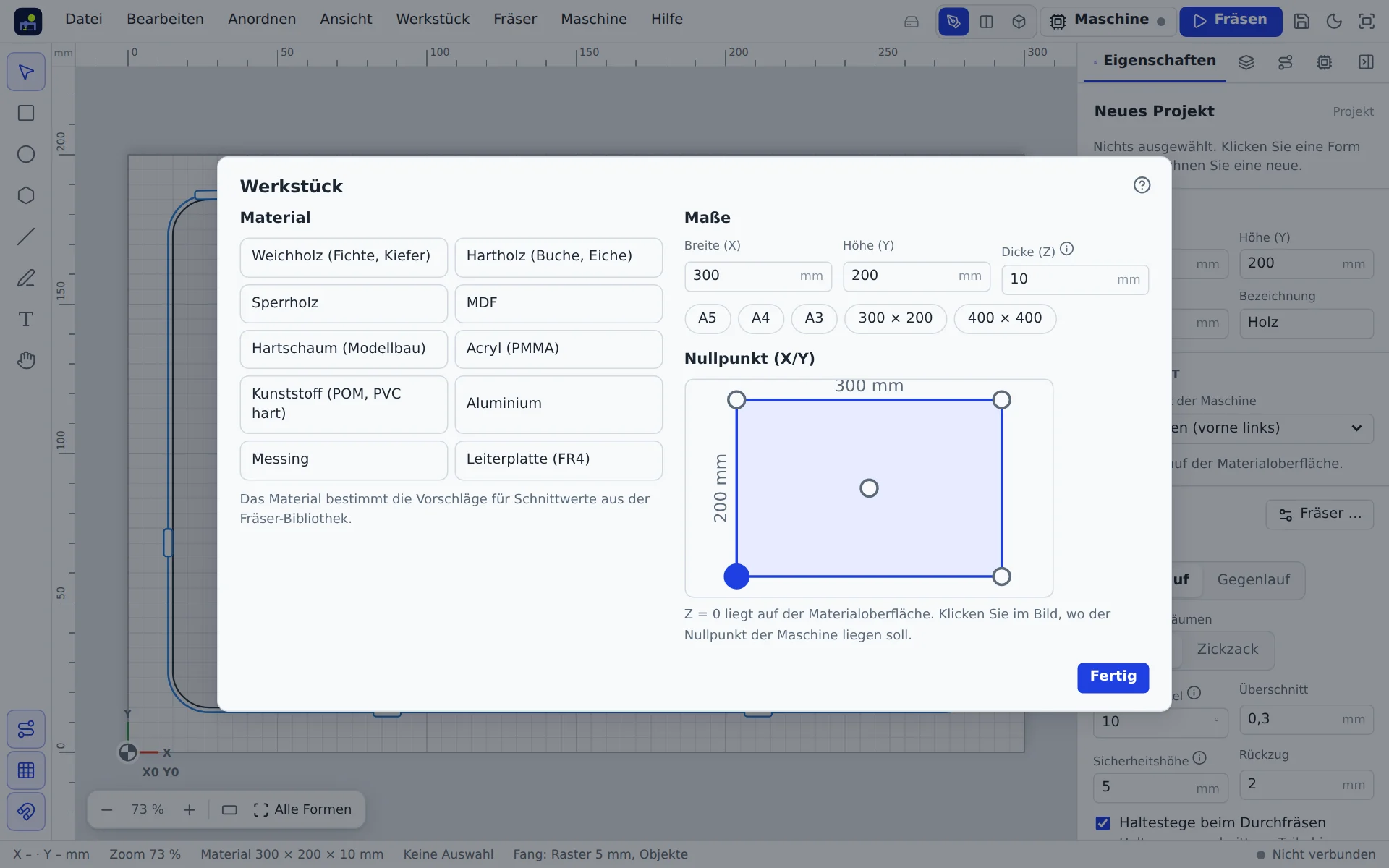
Material
Softwood, hardwood, plywood, MDF, foam, acrylic, plastic, aluminium, brass or PCB. The material decides which cutting data the bit library suggests.
Size
Width (X) and height (Y) in mm. Common sheet sizes are listed below to click. Work area uses the size of the machine you set up. If the material is larger than the machine can reach, the app warns you.
Thickness
The thickness (Z) is the most important value: Cut through depends on it (thickness plus overcut). Measure the real sheet with calipers at several points. A sheet sold as 6 mm plywood is often 5.6 mm or 6.3 mm. The carve wizard asks for the measured thickness again before the start.
Zero point
The zero point is where you place the machine before starting. All toolpaths refer to it. Click one of the four corners or the centre in the picture.
- Bottom left (default): convenient when the material sits against stops.
- Centre: handy for round parts or when you marked the centre.
Z = 0 is always on the material surface. How to set zero on the machine is explained in Machine control and Probing Z.